Command Center for everyone
Command Center is now open to every Pioneer user, with eight starting points, visible progress on long-running work, and readable maps in the reports it builds.
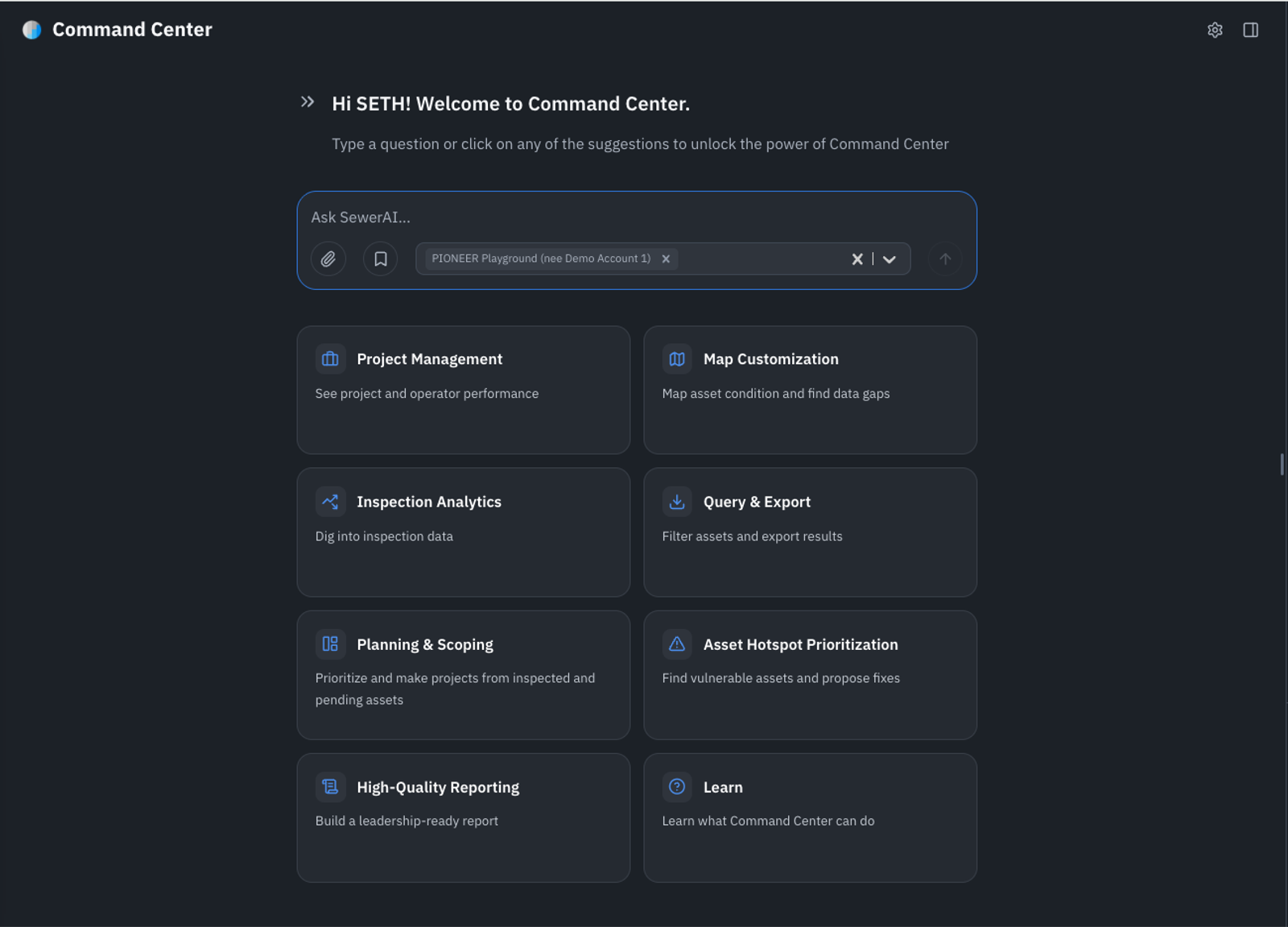
Command Center is in beta for every Pioneer user. Ask which segments carry the most risk, which projects are behind, or which inspections still need review, and it works through your own account data and returns a report you can hand to a stakeholder.
Eight ways to start
Command Center opens with eight tiles built from what Pioneer already knows about your account. Click one to start a risk question, a project status check, or a report, then edit the prompt before you run it.
Progress you can watch
A question that spans thousands of assets takes time to answer. Command Center now reports each step as it finishes, so you can tell deep work from a stall and stop a run that has gone the wrong direction.
Maps you can read
Reports that Command Center builds now zoom to the assets you asked about, label each pipe or manhole on selections of 25 or fewer, draw a legend using your own risk thresholds and units, and include a scale bar. Agent-built maps now match what your team expects from a Smart Project Builder deliverable.
Improvements12›
- PioneerCommand Center replaces Smart Assistant in the sidebar and has its own address, so you can bookmark it or send a teammate straight to it.
- PioneerThe "Stop asking" shortcut on an agent proposal now sits below the action row as a quiet settings link, so it no longer reads as a third answer next to Approve and Reject.
- InspectionsReview now shows a video info popover with resolution and bitrate, so you can check footage quality before you start coding.
- InspectionsBrightness adjustment now works on manhole videos, which helps reviewers read dark shafts and benches.
- InspectionsEditors and admins on a customer account can now trim manhole videos for 3D render themselves.
- AutoCodeBulk AutoCode accepts up to 7,000 inspections in a single kickoff, so large programs no longer split a submission into batches.
- InspectionsYou can stop an export download while it runs from the Downloads page.
- ProjectsThe inspections map legend uses icons and covers more inspection statuses.
- ProjectsOne button clears every selected map layer.
- ProjectsThe layer picker pins active layers to the top, so you can see which layers are on without searching for them by name.
- ProjectsGIS import field mapping now offers your custom header fields as mapping targets.
- ReportsA report table of contents now shows the length columns that match each inspection type.
Fixes5›
- ReportsMetric pipe connection heights now read in millimeters, matching the values behind them.
- InspectionsAccepting a digital submittal now exports the inspections in that submittal rather than the whole project.
- InspectionsTwo reviewers editing the same inspection header no longer overwrite each other's changes.
- PioneerMap answers from Command Center now render assets whose geometry arrives as text, so a location question no longer returns an empty map.
- InspectionsQAI now matches NASSCO certificate numbers that mix letters and dashes.
Integrations3›
- IntegrationsCityworks inspection syncs no longer time out while fetching a large batch, which had stalled hourly syncs for agencies running several hundred inspections in a cycle.
- IntegrationsA reversal recorded against an asset that already has an inspection now opens a new inspection task instead of reusing the closed one.
- IntegrationsThe Unearth custom-field pulldown now covers storm laterals along with storm and sewer mainlines.
API1›
- APIA new endpoint creates or updates an inspection payout record in one call.
Security2›
- AdminCommand Center now honors account-level permissions, so it appears only for users whose account allows it.
- AdminAsset mapping endpoints now enforce project-level permissions.